4G SIM CCTV vs. Wi-Fi Cameras: What's the Difference? Which Is Better for Areas Without Wi-Fi?
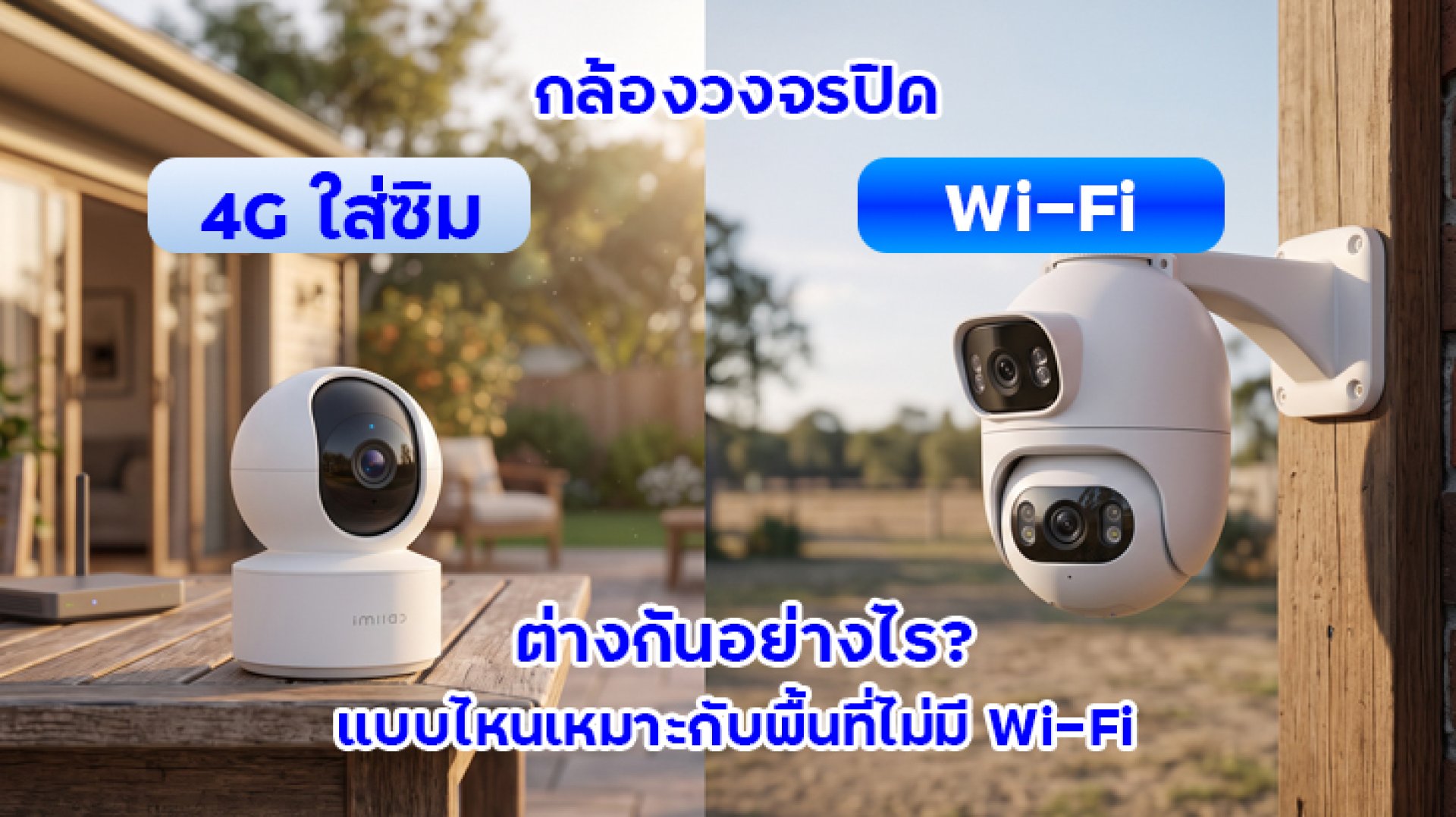
Want to install a CCTV camera at a garden house, garage, warehouse, or remote property, but there is no Wi-Fi available? You may think every security camera needs to connect to a home router, but some cameras can connect to the internet directly through a mobile network using a SIM card.
The main difference between a 4G SIM CCTV camera and a Wi-Fi security camera is how each device connects to the internet. A 4G camera uses a mobile network, while a Wi-Fi camera connects to a wireless network provided by a router or compatible access point.
The best option depends on your installation location, available network coverage, power supply, how often you access live footage from your phone, and whether you are willing to pay for a separate mobile data plan.
What Are 4G SIM CCTV Cameras and Wi-Fi Cameras?
What Is a 4G SIM CCTV Camera?
A 4G CCTV camera has a built-in cellular modem and supports a SIM card compatible with the specific model. It connects to the internet through a 4G/LTE mobile network, so it does not need to connect to a local Wi-Fi router.
This type of camera can be useful in locations without fixed broadband or an existing Wi-Fi network, such as garden houses, agricultural land, warehouses, and temporary construction sites. However, the camera must have adequate mobile network coverage at its installation location.
What Is a Wi-Fi CCTV Camera?
A Wi-Fi CCTV camera connects to a wireless network provided by a router or access point within range. If you want to view live footage or receive notifications on your phone while away from home, the camera's network generally needs an active internet connection.
The main advantage is that you can use your existing home or business internet connection without purchasing a separate SIM data plan for the camera. However, you need sufficient Wi-Fi coverage at the installation point.
4G SIM CCTV vs. Wi-Fi: Key Differences
| Feature | 4G SIM CCTV Camera | Wi-Fi CCTV Camera |
|---|---|---|
| Connectivity | Uses a 4G/LTE mobile network | Uses Wi-Fi from a router or access point |
| Requires a local router | No, if the camera supports direct 4G connectivity | Generally requires an available Wi-Fi network |
| Internet cost | Requires a suitable SIM data plan | Can use an existing home or business internet plan |
| Suitable locations | Areas without Wi-Fi but with adequate mobile coverage | Homes, offices, and other locations with Wi-Fi coverage |
| Main limitation | Depends on mobile signal quality and data allowance | Depends on Wi-Fi range and network stability |
| Installation | Requires SIM installation and mobile network configuration | Requires connection to a compatible Wi-Fi network |
| Typical applications | Garden houses, remote warehouses, and temporary sites | Homes, apartments, retail stores, and offices |
Remember that these two camera types may offer similar resolutions, motion detection features, and recording options. The difference between 4G and Wi-Fi is primarily the network connection method. A 4G camera is not automatically sharper or more feature-rich than a Wi-Fi camera.
1. Where Are 4G CCTV Cameras Most Useful?
A 4G CCTV camera is useful when a location has no Wi-Fi network or installing fixed broadband is impractical, provided the camera can access a compatible mobile network.
- Garden houses and agricultural properties: Suitable for monitoring locations far from the main house where no router is available.
- Warehouses and storage areas: Useful for locations without a permanent internet connection.
- Temporary construction sites: Can provide remote monitoring without installing a fixed broadband connection.
- Outdoor areas beyond Wi-Fi coverage: May be a practical alternative when mobile coverage is available and a suitable power source can be provided.
Before purchasing a 4G camera, check the mobile signal at the exact installation point. Having a mobile signal on your phone does not guarantee that a security camera will maintain a stable connection in every environment. You should also verify the supported network bands and carrier compatibility.
2. Who Should Choose a Wi-Fi CCTV Camera?
If your home or business already has a reliable internet connection and adequate Wi-Fi coverage, a Wi-Fi camera is often a convenient choice. It can use your existing network without requiring a separate mobile data plan for each camera.
- Homes and apartments: Suitable for monitoring living rooms, entrances, and indoor spaces.
- Retail stores and offices: Can use an existing Wi-Fi network if the signal and router capacity are sufficient.
- Locations with multiple cameras: Several cameras may connect to the same network, provided the router can handle the number of devices and the total network traffic.
- Users who want to manage ongoing costs: No separate SIM data plan is required for each camera when the existing internet connection is suitable.
If a camera is too far from the router and receives a weak signal, consider repositioning the router, installing an access point, or using a suitable mesh Wi-Fi system. Switching to 4G is not necessarily the only solution.
3. How Much Does Internet Data Cost for a 4G CCTV Camera?
A 4G camera needs a compatible SIM data plan. The cost depends on the mobile operator, data allowance, package conditions, and actual usage. A Wi-Fi camera, by comparison, generally uses an existing home or business internet subscription.
Mobile data consumption varies depending on several factors:
- Video resolution and bitrate
- How frequently and how long you watch live footage on your phone
- How often video clips or event notifications are uploaded
- Recording settings and any cloud storage services in use
- The camera's individual features and data management methods
For example, a camera used for frequent, extended live viewing may consume considerably more data than a camera that records primarily to a memory card and sends short event notifications.
Before choosing a data plan, check whether the camera supports MicroSD recording, whether it offers motion-triggered recording, and whether it continuously uploads footage to the cloud. Do not choose a plan based on the word "unlimited" alone, as some plans have fair-use conditions, data thresholds, or speed restrictions.
4. Which Is More Reliable: 4G or Wi-Fi CCTV?
Neither connection type is more reliable in every situation. Performance depends on the quality of the available network at the installation location.
- 4G CCTV: Can work well when mobile coverage is strong and stable. In areas with weak reception or network congestion, live viewing and notifications may be delayed.
- Wi-Fi CCTV: Can work well when the router has a reliable internet connection and sufficient coverage. Connections may drop when the camera is too far from the router or there are many physical obstacles.
For the most reliable results, test the connection at the exact location where the camera will be installed rather than testing only near the router or outside the building.
You should also consider the power supply. Both 4G and Wi-Fi cameras may stop working during a power outage if they do not have a suitable backup power system.
5. Can You Use a Wi-Fi Camera Where There Is No Wi-Fi?
Yes, in some situations. You may be able to use a smartphone hotspot or a 4G router to create a Wi-Fi network for a compatible camera. However, you must confirm that the camera supports the network configuration and can connect reliably.
There are several considerations:
- The hotspot device must be in an area with adequate mobile coverage.
- The device needs a reliable power source for continuous operation.
- The mobile data plan may limit usage or hotspot sharing.
- If a smartphone turns off its hotspot, runs out of battery, or restarts, the camera may lose its connection.
For long-term installations, a dedicated 4G router may be more practical in some situations. It can distribute Wi-Fi to compatible cameras, subject to the router's capacity, but you should account for the additional equipment cost and mobile data plan.
Alternatively, a 4G camera with direct SIM support can connect to a mobile network without requiring a separate Wi-Fi router for the camera. Always verify the specifications of the exact model before buying.
6. What Should You Check Before Installing a CCTV Camera Without Wi-Fi?
Before choosing a security camera for a location without Wi-Fi, review the following checklist.
- Mobile coverage: If you choose a 4G camera, confirm that a compatible network is available and provides sufficient signal at the installation point.
- Power supply: Check whether the camera uses a power adapter, battery, or solar power system, and whether it can operate reliably in the intended environment.
- Recording options: Verify whether the camera supports MicroSD recording, its maximum supported card capacity, and whether cloud storage is available.
- Remote viewing: Check the supported app, notification features, and internet requirements.
- Weather resistance: For outdoor installations, check the dust and water protection rating and the supported operating temperature range.
- Long-term costs: Include SIM data charges, internet costs, and any required subscription services.
One important point: a camera that supports a 4G SIM card does not automatically support battery operation or solar power. These features must be checked separately for each model.
Conclusion: Should You Choose a 4G SIM CCTV Camera or a Wi-Fi Camera?
If your installation location already has reliable Wi-Fi, a Wi-Fi CCTV camera is often the more convenient option and can avoid the additional cost of a separate SIM data plan. If you need to monitor a garden house, warehouse, or remote location without fixed internet, a 4G camera with direct SIM support may be more suitable, provided there is adequate mobile coverage.
Before making a decision, check network availability at the actual installation point. Then compare data costs, recording options, power requirements, and the features you need. Choosing a camera that matches the location is more important than selecting one based on its connection type alone.
Frequently Asked Questions (FAQ)
What is the difference between a 4G SIM CCTV camera and a Wi-Fi camera?
A 4G camera uses a SIM card and mobile network to connect to the internet, while a Wi-Fi camera connects through a router or access point. A 4G camera is useful in locations without Wi-Fi, provided compatible mobile coverage is available.
Does a 4G CCTV camera require a monthly internet plan?
Generally, yes. A 4G camera needs a compatible SIM data plan. The cost depends on the operator and actual data usage, so check the package conditions before subscribing.
Can a Wi-Fi CCTV camera work in an area without Wi-Fi?
It may work if you provide a compatible Wi-Fi network using a mobile hotspot or 4G router. This requires an additional device and suitable mobile data access. Another option is a 4G camera that supports a SIM card directly.
Can I view a 4G CCTV camera remotely on my phone?
Generally, yes, if the camera supports remote viewing, has an active connection through a compatible mobile network, and your phone also has internet access. Availability depends on the camera's app and service requirements.
Can a 4G CCTV camera work in an area without mobile signal?
No, not through the 4G connection if there is no usable signal from a supported mobile network. Check coverage before installation or consider an alternative networking solution appropriate for the location.