How Much Zoom Do You Need for a Security Camera? 3x, 5x, 10x Explained
If you're looking for a long-range security camera, one of the first questions you may ask is: How much zoom do I actually need? Security cameras are available with 3x, 5x, 6x, 10x, and even higher zoom levels. However, choosing a camera simply because it has a higher Zoom number does not always mean you'll get better results.
The right security camera zoom depends on several factors, including the distance to the target, camera resolution, field of view, lens type, zoom technology, and whether the camera supports features such as PTZ and Auto Tracking.
In this guide, we'll explain what 3x, 5x, and 10x zoom are best suited for, how Optical Zoom differs from Digital Zoom, and what you should look for if you want to monitor people, vehicles, or other objects from a distance.
What Does Zoom Mean on a Security Camera?
Zoom is a camera's ability to make a distant object appear closer in the image. This can be achieved by physically adjusting the lens or by digitally enlarging part of the captured image. These two methods can produce very different results.
The most common terms you'll encounter are Optical Zoom and Digital Zoom. You may also see PTZ (Pan-Tilt-Zoom) cameras, which allow users to remotely control the camera's viewing direction and zoom level.
How Much Zoom Do You Need for a Security Camera?
There is no single zoom level that is ideal for every property. The right choice depends mainly on how far the camera is from the area or object you want to monitor.
| Zoom Level | Typical Use | Example Areas |
|---|---|---|
| 3x | Short to medium distances | Front doors, rooms, hallways |
| 5x6x | Medium-distance monitoring | Garages, yards, building entrances |
| 8x10x | Long-distance monitoring | Large yards, parking areas, perimeter fences |
| 10x+ | Very long-range, targeted monitoring | Large properties and specific security zones |
Important: A 10x camera does not automatically provide better image detail than a 5x camera. Image quality also depends on the sensor, lens, resolution, lighting conditions, and type of zoom being used.
What Is the Difference Between 3x, 5x, and 10x Zoom?
Who Should Choose a 3x Security Camera?
A 3x security camera is suitable for areas where the monitoring distance is relatively short. Typical applications include front doors, living rooms, small shops, hallways, and building entrances.
For smaller areas, extremely high zoom may not be necessary. A camera with a good-resolution sensor and an appropriate field of view can often be more useful than a camera with excessive zoom capability.
If the camera is installed close to the area you want to monitor, 3x zoom can provide a useful balance between viewing distance and overall coverage.
Who Should Choose a 5x6x Security Camera?
A 5x6x security camera can be a good choice for medium-distance monitoring. It provides additional zoom capability while still being practical for common residential and commercial applications.
This range can work well for garages, driveways, yards, building entrances, and areas where you may want to change the viewing angle and inspect different parts of the property.
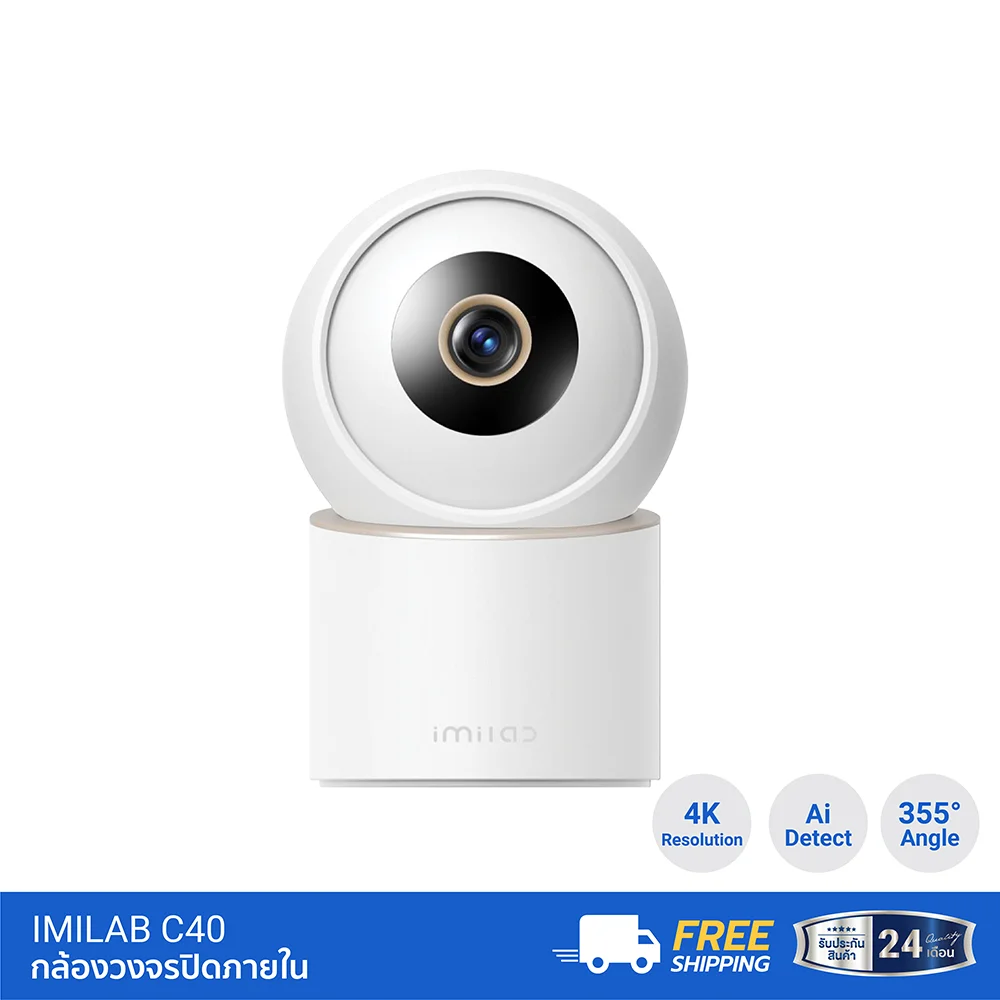
For example, the IMILAB C40 supports 4K video, up to 6x zoom, and Auto Tracking, making this type of configuration useful for monitoring people or pets across a wider area.
Who Should Choose a 10x Security Camera?
A 10x security camera is more suitable when the target is located farther away, such as across a large yard, parking area, perimeter fence, or other wide property.
However, before buying a 10x camera, check whether the advertised zoom is Optical Zoom or Digital Zoom. The two technologies work differently and can produce very different levels of detail.
Optical Zoom vs Digital Zoom: What's the Difference?
This is one of the most important things to understand when choosing a long-range security camera.
What Is Optical Zoom?
Optical Zoom uses the camera's physical lens system to change the focal length and magnify the subject before the image reaches the sensor.
Because the lens itself changes the magnification, Optical Zoom can preserve more image detail compared with simply enlarging an existing image digitally.
If your goal is to monitor details such as people, vehicles, or objects at a distance, Optical Zoom should generally receive more attention than the Zoom number alone.
What Is Digital Zoom?
Digital Zoom enlarges a portion of the image that has already been captured by the camera. It does not make the lens capture additional physical detail.
As the image is enlarged further, details may become softer or less clear, particularly when the original image does not contain enough resolution.
For this reason, you should not judge a security camera simply because the product specification says 10x Zoom. Check whether the zoom is Optical, Digital, or a combination of both, and consider the camera's resolution as well.
Why Can 4K + Zoom Be Better Than a Lower-Resolution Camera?
Zoom performance is closely related to the quality of the original image. If the original image contains limited detail, enlarging it will not magically create new information.
A higher-resolution camera, such as a 4K model, can capture more image information in many situations. This can provide more usable detail when you digitally enlarge or crop part of the recorded footage.
For example, the IMILAB C40 combines 4K HDR video with up to 6x zoom, demonstrating how higher image resolution and zoom capability can work together.
Why Does PTZ Matter for Long-Range Security Cameras?
If you need a long-range security camera for a large area, zoom alone may not be enough. The camera also needs to be able to point toward the area you want to inspect.
This is where PTZ cameras can be useful. PTZ stands for Pan, Tilt, and Zoom.
- Pan = Move the camera horizontally
- Tilt = Move the camera vertically
- Zoom = Magnify the subject
When these functions work together, you can select an area through the camera app, move the camera toward that location, and then zoom in to inspect the target.
This can be particularly useful for larger properties where a fixed camera may only cover one viewing direction.
How Does Auto Tracking Help With Zoom?
Another useful feature to consider is Auto Tracking, especially when the camera can pan and tilt.
When the camera detects movement from a person or another supported target, an Auto Tracking system can automatically adjust the camera's position to follow the target.
This can help keep a moving subject within the camera's field of view instead of allowing it to quickly move out of frame.
However, Auto Tracking does not automatically make zoomed-in images sharper. Image quality still depends on the camera's resolution, sensor, lens, lighting, and zoom technology.
Choose Security Camera Zoom Based on Distance, Not Just the Zoom Number
A more accurate way to choose a security camera is to start with two questions:
What do you want to monitor, and how far away is it?
1. Monitoring a Front Door
If the target is relatively close to the camera, you may not need 10x zoom. Resolution, field of view, camera placement, and night vision may be more important.
2. Monitoring a Garage or Front Yard
A camera with approximately 5x6x zoom can be useful for medium-distance monitoring, particularly when combined with the ability to pan, tilt, or automatically track moving subjects.
3. Monitoring a Large Yard or Parking Area
For larger spaces, consider a PTZ camera or another model that combines camera movement with zoom. Being able to change the viewing direction can be just as important as the amount of magnification.
4. Monitoring Objects From a Long Distance
For very long-range applications, consider Optical Zoom, focal length, sensor size, resolution, and lighting conditions together.
Do not choose a camera simply because it advertises 10x or 20x zoom.
A Higher Zoom Number Does Not Always Mean a Better Security Camera
The idea that more Zoom always means a better camera is not necessarily true.
Imagine installing a camera near your house and trying to monitor an area only 510 meters away. If you use extremely high zoom, the image may become too narrow and you may lose visibility of surrounding areas.
On the other hand, if the camera is installed far away from the area you need to monitor, a low-zoom camera may not provide enough detail.
The simplest rule is:
Choose the right Zoom for the distance, not the highest Zoom number.
Which IMILAB Security Camera Should You Choose?
If you're still unsure about how much zoom you need for a security camera, start with the actual area you want to monitor. Different properties require different combinations of resolution, zoom, coverage, and tracking.
IMILAB C40 For Homes and Medium-Distance Monitoring
If you want high-resolution video combined with zoom and automatic tracking, IMILAB C40 is a strong option to consider.
It supports 4K video, up to 6x zoom, and Auto Tracking, making it suitable for monitoring areas such as homes, garages, entrances, and indoor spaces.
Recommended for:
- Homes and indoor spaces
- Garages
- Home entrances
- Monitoring people or pets
- Users who want high resolution and zoom in one camera
Our recommendation: If you're looking for a 4K security camera with 6x zoom for general home and medium-distance monitoring, the C40 is a practical starting point.
IMILAB EC6 Panorama For Wide Areas and Multiple Viewing Angles
If your priority is broader coverage and the ability to change the viewing direction, IMILAB EC6 Panorama is a compelling option.
It supports up to 344° horizontal rotation and 90° vertical movement, allowing the camera to cover a much wider area than a fixed-position camera.
Recommended for:
- Large yards
- Areas around the home
- Shops and small businesses
- Properties with multiple areas to monitor
- Users who want PTZ-style camera movement
Our recommendation: If you need more than Zoom and want to move the camera to different areas and track activity, a PTZ-style camera such as the EC6 Panorama can be more useful than simply choosing a camera with a higher Zoom number.
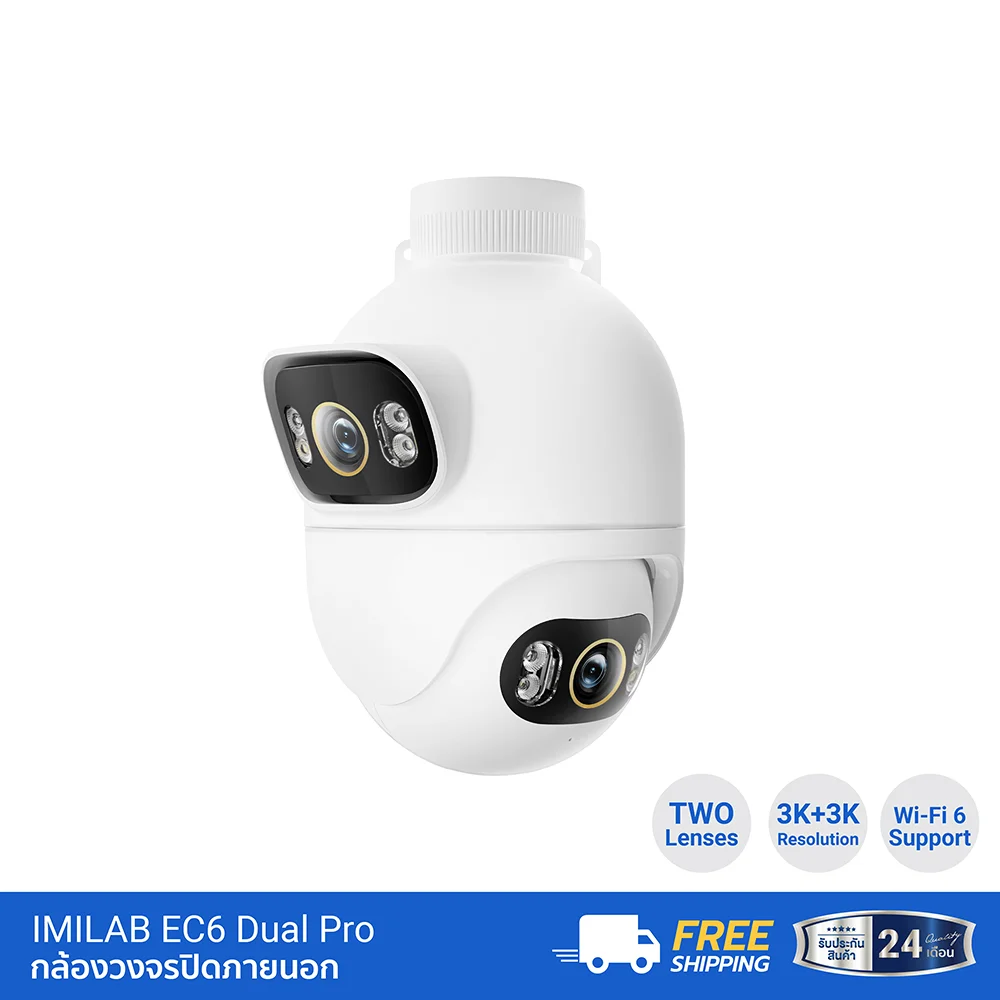
IMILAB EC6 Dual 3K For Wide Outdoor Areas and Multiple Viewing Points
If you need to monitor outdoor areas from multiple perspectives, IMILAB EC6 Dual 3K is another option worth considering.
It uses a Dual Camera design and supports AI Detection for people, vehicles, and bicycles, making it useful for larger outdoor areas where there may be several points of interest.
Recommended for:
- Areas around the house
- Parking areas
- Storefronts
- Outdoor areas with multiple monitoring points
- Users who want AI Detection and multiple camera views
Our recommendation: If your property has both near and far areas to monitor, or several points that need surveillance, a Dual Camera system can be more practical than simply choosing a camera with extremely high zoom.
Quick Guide: Which Model Is Right for You?
| Use Case | Recommended Model | Why? |
|---|---|---|
| Home, garage, medium-distance areas | IMILAB C40 | 4K + up to 6x zoom + Auto Tracking |
| Large area requiring multiple viewing angles | IMILAB EC6 Panorama | 344° Pan + 90° Tilt + PTZ-style coverage |
| Outdoor areas with multiple monitoring points | IMILAB EC6 Dual 3K | Dual Camera + AI Detection + multiple views |
Not Sure Which Security Camera You Need?
You don't necessarily need the camera with the highest Zoom number. Instead, choose based on the installation distance + property size + target area + resolution + camera movement + tracking capability.
For general home monitoring, the IMILAB C40 is a good place to start. If you need wider coverage and the ability to change viewing angles, consider the EC6 Panorama. For outdoor monitoring with multiple viewpoints and AI Detection, the EC6 Dual 3K is worth considering.
Checklist Before Buying a Long-Range Security Camera
- Determine the approximate distance to the target area
- Check whether the Zoom is Optical or Digital
- Check the camera resolution, such as 2K, 3K, or 4K
- Look at the sensor and lens specifications
- Check the camera's field of view
- Consider PTZ functionality for larger areas
- Look for Auto Tracking if you want the camera to follow people
- Check Night Vision and IR performance for nighttime monitoring
- Make sure the camera supports remote zoom control if that is important to you
- Check whether the desired zoom functionality works effectively in nighttime conditions
Conclusion: How Much Zoom Do You Need?
So, how much zoom do you need for a long-range security camera? The answer isn't simply 3x, 5x, or 10x. The right choice depends on the distance, property size, target, and level of detail you need to capture.
3x is generally suitable for short to medium distances.
5x6x can be a practical choice for medium-distance monitoring such as homes, garages, driveways, and building entrances.
8x10x or higher can be useful for larger properties and distant targets, but Optical Zoom, lens quality, sensor performance, and image resolution should also be considered.
If you need to monitor a wide area while following moving subjects, PTZ + Auto Tracking can be more valuable than simply choosing the highest Zoom specification.
Ultimately, the security camera with the highest Zoom is not necessarily the best camera for your property. The best camera is the one that provides the right combination of viewing distance, image quality, field of view, zoom capability, and monitoring features for your actual environment.
FAQ: Long-Range Security Camera Zoom
Is 5x zoom good for a security camera?
Yes. A 5x zoom camera can be suitable for short to medium-distance monitoring, including homes, garages, entrances, and areas where you need more detail than a standard wide-angle view can provide.
How far can a 10x security camera see?
You cannot determine the useful viewing distance from the 10x number alone. The actual level of visible detail depends on the lens, sensor, resolution, lighting, focal length, and the size and characteristics of the target.
Is 10x Digital Zoom good?
Digital Zoom can be useful for enlarging a portion of an image, but it does not create additional physical image information. Heavy digital magnification can reduce visible detail. For genuinely long-distance monitoring, Optical Zoom and overall image quality are important factors to consider.
Does a PTZ camera need high Zoom?
Not necessarily. One of the main advantages of PTZ is the ability to change the camera's viewing direction. The required Zoom level should still be selected according to the distance and size of the area you want to monitor.
Is a 4K security camera better for Zoom than a 2K camera?
A higher-resolution camera can capture more image information, which can be helpful when viewing or cropping distant subjects. However, a 4K camera does not automatically have better zoom performance than every 2K camera. Lens quality, sensor performance, zoom technology, and image processing should all be considered.
Related Articles
References