Best Security Camera for Pets What Should You Look for Before Buying?
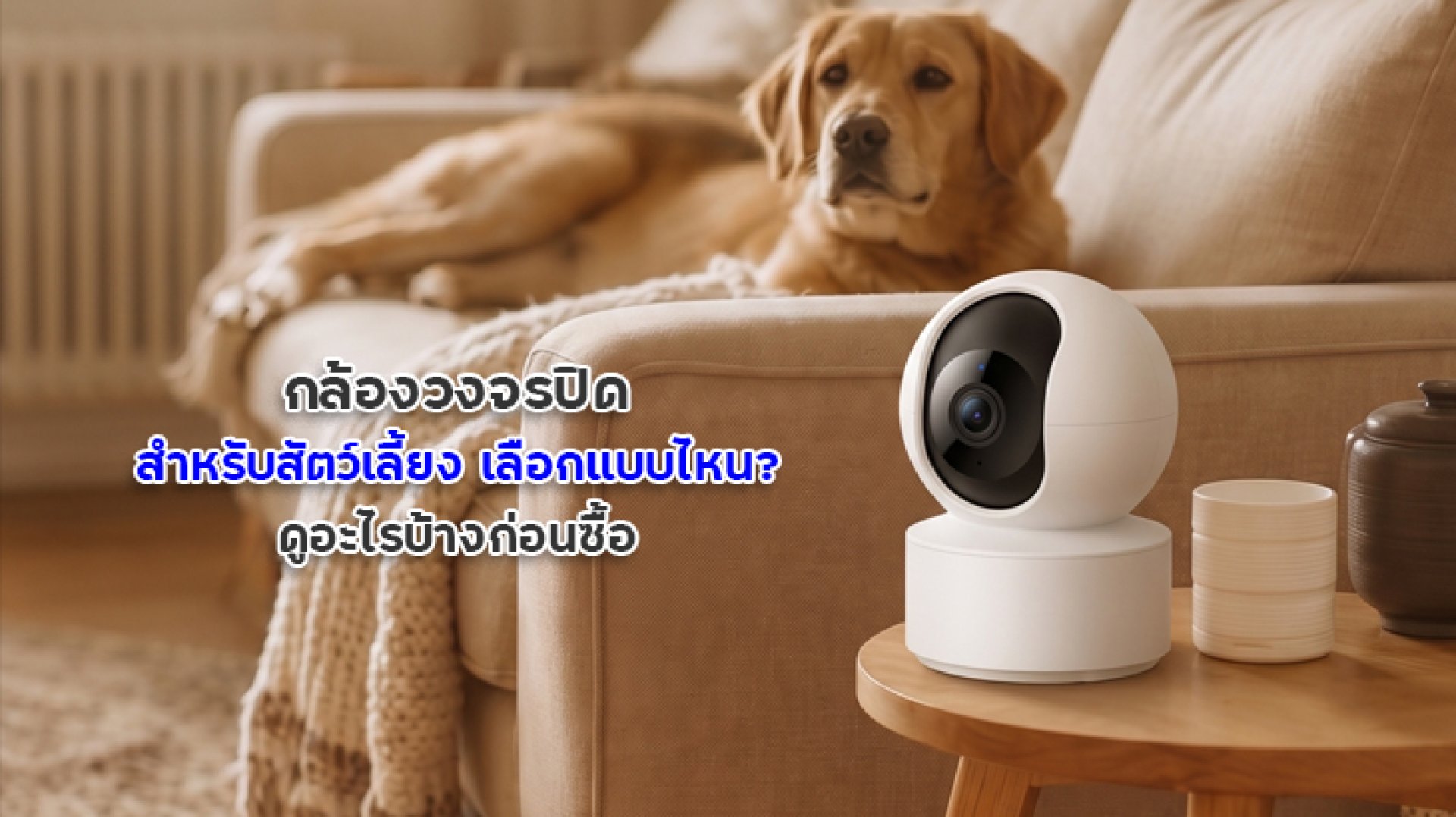
Have you ever left home for a few hours and wondered whether your dog was sleeping peacefully, your cat was climbing onto the table, or your pet was getting into something it should not? A security camera for pets can help you check on your furry companions through your smartphone, even when you are away from home.
However, the camera with the highest resolution or the most features is not necessarily the best choice for every household. Some pet owners simply want to check whether their pets are resting or eating. Others want to observe their pets' behavior throughout the day or talk to them remotely. The best approach is to start with your actual needs, then compare the camera's features, connectivity, and overall cost.
Why Do You Need a Security Camera for Pets?
A pet monitoring camera is not just for checking where your pet is. It can also help you observe everyday behavior while you are away, such as sleeping, moving around, eating, or reacting to sounds in the environment. However, a camera is only a monitoring tool. It cannot replace direct care or a veterinarian's professional assessment.
- When you are at work: Check your pet and see what is happening at home through your phone.
- For puppies and kittens: Observe how they use their surroundings and whether anything in the environment may pose a risk.
- For pets left home alone: Review their activities during the day when you cannot be there in person.
- For households with multiple pets: Monitor shared spaces to observe how your pets interact with one another.
If your pet appears unwell or may be in immediate danger, remote monitoring alone is not enough. Arrange appropriate care and have a plan for emergencies.
7 Things to Consider When Choosing a Security Camera for Pets
1. Video Resolution: Choose Clear, Detailed Images
Video resolution is one of the first specifications to consider because it affects the amount of detail visible on your screen. If you only need to see where your pet is in a room, a Full HD camera may be sufficient for many situations. If you want to observe more detail, such as your pet eating or interacting with objects on the floor, a higher-resolution camera may be useful.
- Full HD (1080p): Suitable for general indoor monitoring.
- 2K or approximately 3MP: Can provide more detail than Full HD under suitable viewing conditions.
- 2.5K or 3K: Another option if you want more image detail. Check the actual resolution specifications rather than relying on marketing labels alone.
Remember that real-world image quality also depends on lighting, camera placement, lens quality, video compression, and internet performance. A higher resolution does not guarantee clear details in every situation.
2. Smartphone Access: Check Your Pet from Anywhere
One of the main purposes of a pet camera is to let you check the live view when you are away. Look for a camera that supports smartphone viewing through an app, and confirm that the specific model works with your preferred app.
Before buying, check whether the app is compatible with your phone, whether you can share camera access with family members, and what is required to view the camera remotely. Remote viewing typically depends on both the camera's internet connection and your phone's connection.
3. Two-Way Audio: Talk to Your Pet Remotely
If you want to call your pet or speak to them from another location, look for a camera with both a microphone and a speaker that supports Two-Way Audio. On supported models, this feature lets you hear sounds near the camera and speak through the app.
This can be useful when you want to call your pet's name or observe how they respond to your voice. However, pets react differently to sounds coming from a speaker. Start with a comfortable volume and watch for signs that your pet feels startled or stressed.
Important: Some cameras have a microphone for listening but no speaker for talking back. Check the specifications for Two-Way Audio instead of assuming that a camera with audio supports two-way communication.
4. Night Vision: See Clearly in Low-Light Conditions
Pets do not limit their activities to daylight hours. If you want to monitor them at night, choose a camera with low-light performance or infrared night vision.
Consider whether the camera is suitable for your room size and the distance you need to monitor. Furniture, walls, and other objects can obstruct the view, so placement is just as important as the camera's night-vision specifications.
If you plan to use the camera in a room where your pet sleeps, consider its indicator lights, operating sounds, and mounting position to avoid unnecessarily disturbing your pet's rest.
5. Field of View and Pan-and-Tilt Features: Match the Camera to Your Space
Before choosing a security camera for pets, identify the areas you want to monitor. These might include a resting area, food bowls, a doorway, or a play area. If you only need to watch one location, a fixed-view camera may be sufficient and easy to install.
If your pet moves between different areas, a camera with pan-and-tilt controls may help you view a wider area. Check whether the model supports horizontal and vertical movement and how the camera can be controlled through its app.
However, a camera that can rotate does not automatically track pets. If you want the camera to follow your pet's movement, verify that the model supports Auto Tracking and check which types of objects or subjects its tracking system can recognize.
6. Motion Detection and Alerts: Choose Features That Match Your Needs
Some cameras can detect movement or send notifications when specified events occur. These features can help you stay informed without keeping the live view open all day. However, general motion detection may respond to different types of movement. It does not necessarily mean that the camera can identify every pet or interpret its behavior.
If you want to monitor your pet specifically, check which detection features the model actually supports:
- Motion Detection: Detects movement within the camera's field of view.
- Human Detection: Identifies people on supported models. This does not automatically mean that pets can be detected.
- Pet Detection: If available, check which animal types the feature supports and what its limitations are.
- Activity Notifications: Sends alerts based on supported events and the settings you configure.
Adjust detection sensitivity and activity zones to suit your room. Otherwise, minor movements or changing lighting conditions may trigger more notifications than necessary.
7. Video Storage and Data Security
Watching a live feed and reviewing footage from earlier in the day are two different things. If you want to see what your pet did while you were away, consider how the camera records and stores video.
- microSD card storage: Check the maximum supported card capacity, recording modes, and playback requirements for the specific model.
- Cloud storage: Find out whether a subscription is required, how long footage is retained, and whether any service limitations apply.
- Event-based recording: May help save storage space, but recording depends on detection performance and system settings.
- Continuous recording: Suitable for users who want footage throughout a specified period, provided the camera and storage system support it.
For data security, use a strong, unique password, avoid reusing passwords across services, update the app and camera firmware when appropriate updates are available, and limit camera access to people who need it. Indoor footage can reveal household routines and private details, so protecting access is important.
Which Pet Camera Features Should You Choose?
| Use Case | Features to Consider |
|---|---|
| Monitoring a cat or dog in one room | Suitable video resolution, smartphone viewing, and convenient placement |
| Checking on pets at night | Night vision and good low-light image quality |
| Talking to your pet remotely | Microphone, speaker, and Two-Way Audio |
| Monitoring pets that move around frequently | Wide field of view or pan-and-tilt controls |
| Reviewing past activity | microSD or cloud recording, depending on your needs |
| Receiving movement notifications | Suitable detection features and configurable alerts |
This table is a general comparison guide, not a guarantee that every camera includes all the listed features. Always check the product specifications and actual operating requirements before buying.
Where Should You Install a Security Camera for Pets?
Even the right camera may not provide useful footage if it is installed in the wrong location. Consider these tips before mounting or placing the camera on a shelf.
- Choose a useful viewing angle: Cover important areas, such as your pet's resting place, food bowls, or favorite activity spots.
- Avoid obstructions: Make sure doors, furniture, and toys do not block the lens.
- Keep power cables safe: Position cables where pets cannot easily chew, pull, or become tangled in them, and use a suitable power adapter.
- Secure the camera: Prevent it from falling if your pet jumps or bumps into nearby furniture.
- Test daytime and nighttime footage: Use the app to confirm that the camera can see the intended area clearly.
- Respect privacy: Position the camera appropriately and avoid unnecessarily capturing other people's private spaces.
For a plug-in camera, choose a safe location near a suitable power outlet without leaving accessible cables within your pet's reach. For a wireless camera, check Wi-Fi signal strength and how convenient it will be to recharge or replace the battery before deciding where to install it.
Does a Pet Security Camera Need an Internet Connection?
In general, if you want to view live footage on your phone while away from home, the camera needs a network connection supported by the manufacturer, and your phone also needs internet access. If the camera or your home internet connection has a problem, remote viewing may temporarily become unavailable.
Recording to a memory card may still work during an internet outage on some models, depending on the camera's design and operating conditions. Cloud recording and remote notifications generally rely on network connectivity, so check the product manual before purchasing.
Final Checklist Before Buying a Pet Camera
Use this checklist to compare models and make sure the camera suits your actual needs.
- Supports live viewing on your phone and is compatible with your device.
- Provides suitable resolution for the area and details you want to monitor.
- Includes night vision if you need to monitor pets in low-light conditions.
- Supports Two-Way Audio if you want to talk through the camera.
- Offers a field of view and pan-and-tilt functions suitable for your space.
- Has detection and notification features that match your monitoring needs.
- Supports the recording and playback options you want.
- Has clearly stated additional costs, such as cloud subscriptions or memory cards.
- Provides clear security settings and a way to update its software.
- Comes with suitable warranty coverage and after-sales support.
Conclusion: How Do You Choose the Best Security Camera for Pets?
Choosing the right security camera for pets starts with understanding what you want to monitor. For general home monitoring, prioritize clear video, reliable smartphone access, and a useful viewing angle. If you want to talk to your pet, check for Two-Way Audio. If reviewing past activity is important, compare recording options and any related costs.
For pets that move around different parts of the room, a camera with a wide field of view or pan-and-tilt controls may be more suitable. However, confirm whether the specific model supports actual pet tracking rather than assuming that every rotating camera can follow your pet automatically.
Instead of choosing a camera based only on its resolution or the number of advertised features, focus on what your household genuinely needs. Always verify the product specifications before buying.
Frequently Asked Questions About Security Cameras for Pets
Can I use a regular security camera to monitor my pet?
Yes. A regular security camera can monitor your pet if it is positioned appropriately and provides the viewing features you need. If you want to talk to your pet, view footage at night, or receive notifications, check whether the specific model supports those features.
Does a pet camera need automatic tracking?
No. If your pet stays in one room and the camera covers the necessary area, a fixed-view camera may be sufficient. If you need to monitor multiple areas, consider a pan-and-tilt model and separately verify whether it supports Auto Tracking.
Can every pet respond to a security camera's speaker?
A camera with Two-Way Audio allows you to speak through the app, but not every pet will understand or respond in the same way. Observe your pet's behavior and avoid sounds that cause distress.
Can the camera still record if the internet goes down?
It depends on the model and its recording system. Some cameras may continue recording to a microSD card under certain conditions, while remote viewing, notifications, or cloud recording may be affected. Check the product manual for details.
Should I choose a camera with dedicated pet detection?
If you want notifications specifically related to your pet, dedicated pet detection may be useful. Check which animals the feature can recognize, what its limitations are, and how it differs from general motion detection.
References
- IMILAB Official Website Check product specifications and features for individual camera models.
- Axis Communications General information about network camera technology and video surveillance systems.
- CISA: Secure Our World Basic guidance on cybersecurity and protecting user accounts.