Security Cameras for Rental Rooms How to Install Without Drilling and Move Them Easily
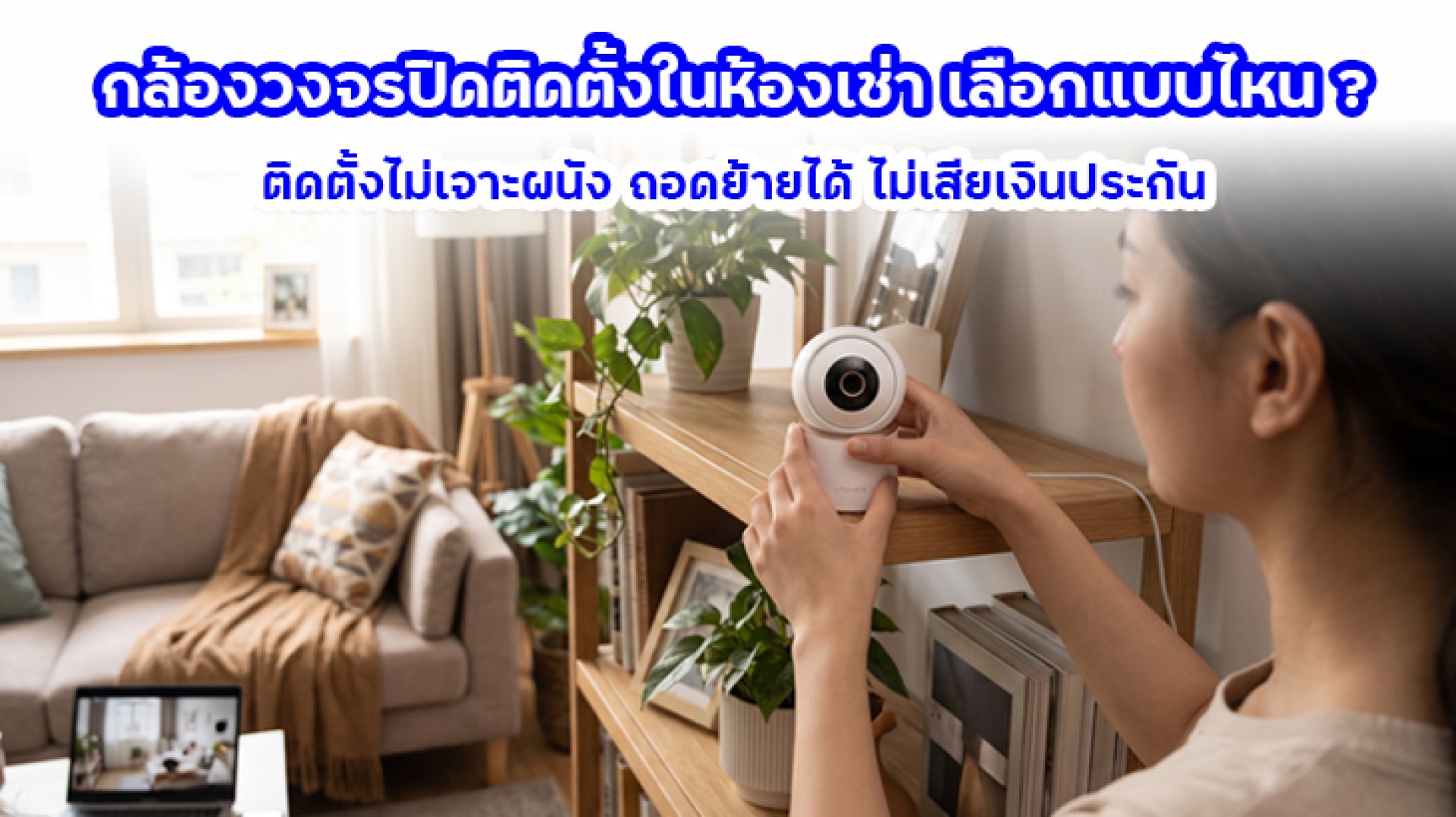
Choosing a security camera for a rental room requires more consideration than simply buying a camera with good video quality. Tenants need to think about security, installation restrictions, and the possibility of moving out in the future. Drilling holes, running permanent cables, or attaching equipment to walls may violate rental agreements or result in repair costs and deductions from the security deposit.
The good news is that there are several ways to install a security camera in a rental room without drilling holes. You can place a camera on a shelf, use a suitable stand, or choose removable mounting accessories. However, before buying, you should also check the power supply, Wi-Fi connection, and installation location. This guide explains how to choose and install a security camera for a rental room while minimizing damage and making it easier to take your equipment with you when you move.
1. Why Do Rental Rooms Require a Different Security Camera Setup?
When installing a security camera in your own home, you can usually drill walls, run cables, or attach brackets to the ceiling as needed. Rental properties are different because modifications may be restricted by the landlord or rental agreement.
That is why a security camera for a rental room should ideally be easy to install, removable, and reusable in another location.
Here are some common limitations tenants should consider:
- No-drilling restrictions: Some landlords do not allow tenants to drill holes in walls, ceilings, or built-in furniture.
- Risk of wall damage: Adhesive mounts may remove paint, wallpaper, or other surface materials when taken off.
- Future relocation: You may need to remove the camera and reinstall it in another room when your rental agreement ends.
- Limited installation space: Rental rooms often come with fixed furniture and limited power outlet locations.
- Limited budget: Tenants may prefer a simple setup without expensive installation services or additional equipment.
For these reasons, the best security camera for a rental room should be easy to set up, require minimal modification, and remain useful when you move to a new place.
2. What Type of Security Camera Is Best for a Rental Room?
A rental room does not necessarily need a complicated surveillance system. The right choice depends on how you plan to use the camera and the limitations of your living space. An Indoor Wi-Fi camera is a practical option for tenants who want to monitor their room through a smartphone.
Indoor Wi-Fi Security Cameras
An Indoor Wi-Fi camera is designed for indoor use and can connect to a wireless network, allowing you to view live footage through a smartphone app. With compatible models, you can monitor your room remotely without installing a separate video recorder.
When choosing a security camera for a rental room, look for these features:
- Suitable video resolution for your monitoring needs.
- Wi-Fi compatibility with your home router.
- Remote live viewing through a smartphone app.
- Motion detection and smartphone notifications.
- MicroSD card recording support, if you want local video storage.
- Night vision for monitoring in low-light conditions.
Pan-and-Tilt Security Cameras
If you want to adjust the viewing direction without physically moving the camera, a Pan-and-Tilt model may be a good option. Compatible cameras allow you to control the viewing direction remotely through an app.
This can be useful for tenants who want flexible monitoring without repeatedly changing the camera's physical position.
However, do not choose a camera based on its rotation feature alone. Video quality, motion detection, recording options, and app compatibility are also important.
3. How to Install a Security Camera in a Rental Room Without Drilling
Installing a security camera in a rental room without drilling is possible with several simple methods. The best approach depends on the camera's design, weight, and the surface where you plan to place it.
Method 1: Place the Camera on a Shelf or Furniture
The easiest installation method is to place the camera on an existing shelf, desk, or piece of furniture. This requires no drilling, adhesive, or additional mounting equipment.
Choose a stable surface with a clear view of the area you want to monitor. Make sure the camera is not too close to the edge and that nearby objects do not block the lens.
Also, organize the power cable properly to prevent someone from accidentally pulling the camera off the shelf.
Method 2: Use a Camera Stand or Adjustable Tripod
A camera stand is a convenient option if you want to adjust the camera's height or move it to another position. It does not require attaching anything to the wall and can be useful for cameras designed to work with compatible stands.
Before purchasing a stand, check its supported weight, dimensions, and compatibility with the camera's mounting base. Avoid modifying the mounting equipment in a way that could make the camera unstable.
Method 3: Use Removable Adhesive Mounts
If you want to mount a camera on a wall or vertical surface, you may consider removable adhesive mounts or mounting strips. However, always check the supported weight and surface compatibility before installation.
Keep in mind that removable adhesive does not always mean damage-free removal. Some adhesives can pull off paint or wallpaper, especially on delicate or aging surfaces.
If you are unsure about the wall material, test the adhesive in an inconspicuous area first. Alternatively, placing the camera on a shelf may be a safer choice.
Method 4: Use a Clamp Mount for Shelves or Furniture
Some mounting accessories can be attached by clamping onto the edge of a shelf or piece of furniture. This allows you to position the camera without drilling holes.
It can also save space and make relocation easier. Before using a clamp mount, check that it can support the camera's weight and will not scratch or damage the furniture.
4. Check the Power Supply and Cables Before Installation
One detail tenants often overlook is the camera's power requirement. Many Indoor Wi-Fi cameras still need to remain connected to a power adapter even though they use a wireless internet connection.
In other words, wireless does not necessarily mean that a camera operates without a power cable.
Before buying a security camera for a rental room, check the following:
- Power outlet location: Is there an electrical outlet close to the intended installation point?
- Cable length: Is the supplied power cable long enough for your setup?
- Cable management: Can you organize the cable without creating a tripping hazard?
- Power adapter: Does the adapter meet the voltage and current requirements specified by the manufacturer?
- Relocation flexibility: Can you rearrange the cable easily if you move the camera?
If you prefer a camera that does not need to remain plugged in, consider a battery-powered model. Check its battery life, charging requirements, recording functions, and operating limitations before making a purchase.
5. Do You Need Permission from Your Landlord to Install a Security Camera?
It depends on the installation method and the conditions in your rental agreement. Placing a camera on a shelf without changing the room's structure may be less problematic than drilling into walls or installing permanent fixtures.
However, tenants should always review their rental agreement and ask the landlord before making physical changes to the property, especially when using adhesive mounts, wall brackets, or additional cable installations.
Here are some steps to take before installation:
- Check the rental agreement for restrictions on drilling or modifying the room.
- Ask the landlord before attaching equipment to walls or built-in furniture.
- Take photos of the room's condition before installing the camera.
- Keep the original packaging, mounting accessories, and installation components.
- Inspect the wall and furniture after removing the camera to make sure there is no damage.
Discussing the installation with your landlord in advance can help prevent disputes when you move out and make the entire process easier.
6. Privacy Considerations When Installing a Camera in a Rental Room
Security cameras can help protect personal belongings, but privacy should always be considered. This is especially important in shared rental properties or buildings with common areas such as hallways and shared entrances.
Follow these basic guidelines:
- Install cameras only where monitoring is necessary within your private living space.
- Avoid pointing cameras directly into another person's room.
- Never install cameras in bathrooms or other areas where people have a strong expectation of privacy.
- Be careful when recording audio or using Two-way Audio.
- Use a strong account password and limit access to people who need it.
- Use Privacy Masking if the camera supports it and you need to block certain areas from view.
If you share your rental room with someone else, clearly inform them about the camera's location and purpose. Camera use should respect the privacy rights of everyone involved and comply with applicable laws.
7. Can You Take Your Security Camera With You When Moving Out?
Yes. If you choose a security camera for a rental room that uses a non-permanent installation method, you can usually remove the camera, power adapter, and accessories and reinstall them in your next home.
Before moving out, follow these steps:
- Turn off the camera and disconnect the power supply properly.
- Remove the mounting base or accessories carefully without forcing them.
- If you use adhesive mounts, follow the manufacturer's removal instructions.
- Check the walls and furniture for marks or damage.
- Keep the adapter, cables, camera base, and other accessories together.
- Reconnect the camera to the new Wi-Fi network after moving.
If your camera uses a MicroSD card for video recording, make sure you manage your stored footage and personal data before using it in another location.
8. Security Camera Buying Checklist for Rental Rooms
Before making a purchase, use this checklist to make sure the camera fits your needs and installation conditions.
| What to Check | What to Consider |
|---|---|
| Camera type | Choose an Indoor Wi-Fi model or another camera designed for indoor use. |
| Installation method | Consider a shelf, stand, or removable mounting accessory. |
| Power supply | Check whether the camera requires continuous power or uses a battery. |
| Wi-Fi connection | Check network compatibility and signal strength. |
| Video recording | Check whether MicroSD card or cloud storage is supported. |
| Notifications | Look for motion detection and smartphone alerts. |
| Portability | Make sure the camera can be removed and reused in another room. |
| Rental agreement | Check restrictions on drilling, wall mounting, and property modifications. |
FAQ: Frequently Asked Questions About Security Cameras for Rental Rooms
Can I install a security camera in a rental room without drilling?
Yes. You can place the camera on a shelf, use a stand, or choose a removable mounting accessory. Check the camera's weight, mounting compatibility, and surface conditions before installation.
Can my landlord deduct money from my security deposit for installing a camera?
It depends on your rental agreement and the condition of the room when you move out. Following the installation rules and avoiding damage to walls or furniture can help reduce the risk of being charged for repairs.
Does a Wi-Fi security camera need to stay plugged in?
Many Indoor Wi-Fi cameras require continuous power from an adapter even though they connect to the internet wirelessly. Battery-powered models can operate without remaining plugged in, but their battery life and recording features vary.
Can I reuse my security camera after moving to another rental room?
Yes. If the camera was installed without permanent modifications, you can remove it and install it in your new room. You may need to configure the Wi-Fi connection and adjust the camera's position again.
Can I use adhesive tape to mount a camera on a rental room wall?
Yes, if the mounting accessory supports the camera's weight and is suitable for the wall surface. However, some adhesives can remove paint or wallpaper when taken off. If you are unsure, use a shelf or stand instead.
What type of security camera is best for a small rental room?
A compact Indoor Wi-Fi camera is a practical option for limited spaces. Choose a model with a suitable viewing angle and the features you actually need rather than paying for unnecessary functions.
Conclusion: Choose a Removable Security Camera Setup for Your Rental Room
Choosing a security camera for a rental room should start with a non-permanent installation method. This helps reduce the risk of damaging walls or furniture, avoids unnecessary installation costs, and allows you to take the camera with you when moving to another property.
For everyday use, a compact Indoor Wi-Fi camera that can be placed on a shelf or used with a compatible stand is a practical choice. Before buying, remember to check the power supply, Wi-Fi connection, recording options, and rental agreement.
With a little planning, you can improve the security of your rental room without making complicated modifications or creating unnecessary problems when it is time to move out.