Wall vs Ceiling CCTV Installation Which Position Is Better? Compare Viewing Angles and Mounting Locations
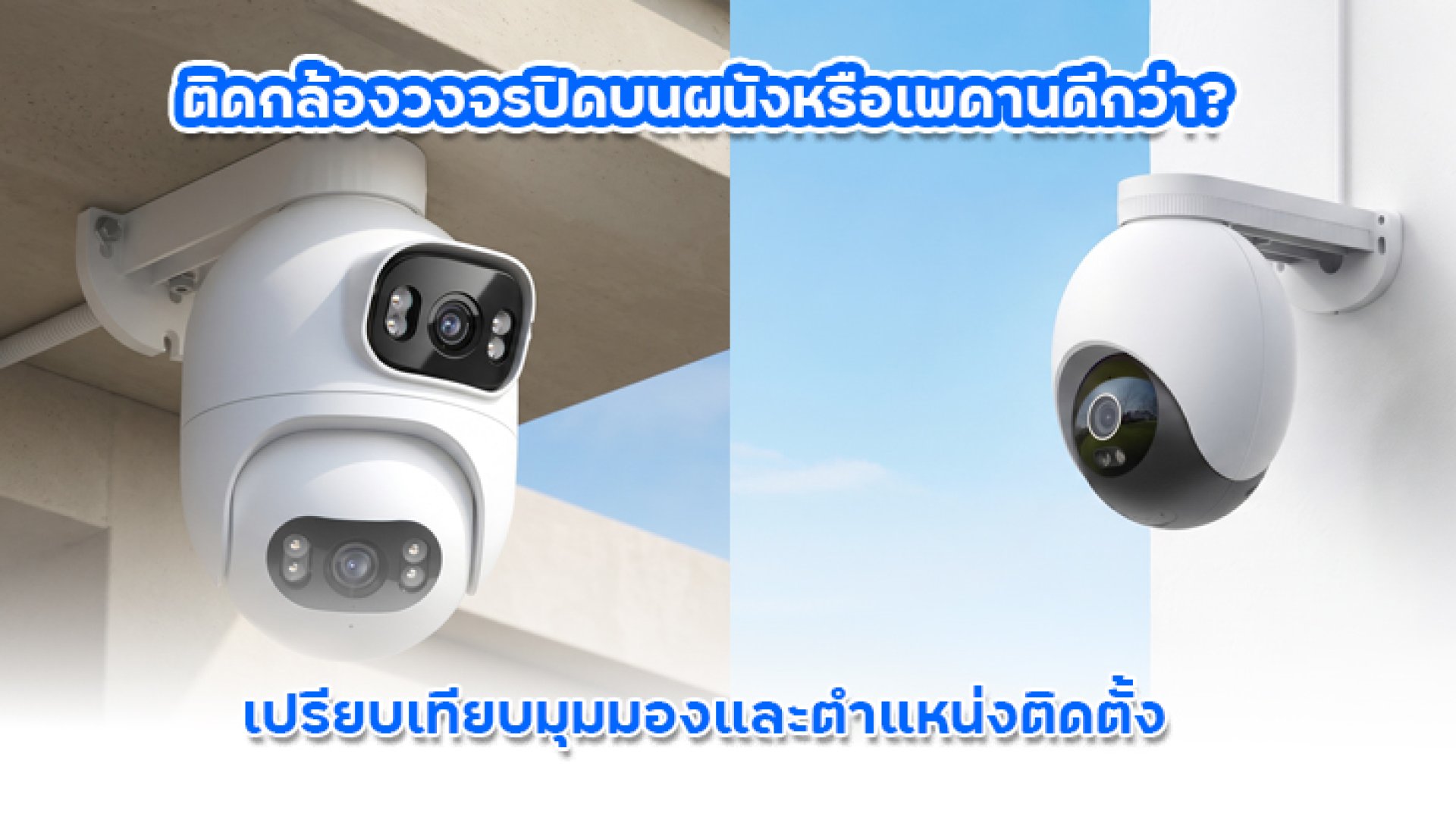
Before installing a security camera, many people wonder whether it is better to mount it on a wall or attach it to the ceiling. Although the camera model may be exactly the same, its mounting position can significantly affect the viewing angle, visible coverage, and blind spots inside a room. Choosing between wall or ceiling CCTV installation is therefore not just about appearance or cable management. It directly affects how effectively your security camera monitors an area.
Some locations are better suited to wall-mounted cameras because they need to monitor doors, entrances, or corridors at a more direct angle. Other areas benefit from ceiling-mounted cameras, which can provide a wider overhead view of the surrounding space. So, which option is better for your home, apartment, or business? This guide compares the advantages, limitations, and practical installation considerations to help you choose the right position.
1. What Is the Difference Between Wall and Ceiling CCTV Installation?
The main differences between wall and ceiling CCTV installation involve viewing direction, mounting height, and the type of area being monitored. Although many cameras allow you to adjust their viewing angles, the mounting position still determines what the camera can see.
Wall-Mounted CCTV Cameras
Wall mounting is one of the most common security camera installation methods, especially around entrances, doors, windows, and corridors. Its main advantage is the ability to point the camera toward a specific area. For example, you can position it facing an entrance to record people entering and leaving, or direct it toward a counter to monitor activity inside a store.
Wall mounting is also useful in rooms with high ceilings because you can choose a suitable mounting height without placing the camera directly against the ceiling. However, you should make sure that furniture, shelves, and other large objects do not block the camera's field of view.
Ceiling-Mounted CCTV Cameras
Ceiling mounting places the camera higher up, allowing it to monitor an area from above. This position is suitable for spaces where you want a general overview, such as living rooms, offices, retail stores, and shared areas with people moving in different directions.
Another advantage is that objects at floor level are less likely to block the camera's view. However, ceiling mounting does not eliminate blind spots. If the camera is installed too high or pointed in the wrong direction, it may capture mostly the tops of people's heads or fail to show important details clearly.
2. Comparing the Advantages and Limitations of Wall vs Ceiling Mounting
If you are still unsure whether to install your CCTV camera on a wall or ceiling, compare the two options based on your actual needs. Each mounting position has different advantages, and neither is universally better for every environment.
| Comparison | Wall Mounting | Ceiling Mounting |
|---|---|---|
| Viewing direction | Directs the camera toward a specific area | Provides an overhead view of the area below |
| Suitable locations | Doors, entrances, corridors, and windows | Rooms, retail stores, and shared spaces |
| Facial visibility | Can capture more direct facial views when positioned correctly | May capture the tops of heads if the downward angle is too steep |
| Obstructions | May be blocked by shelves, cabinets, or furniture | Less likely to be blocked by objects at floor level |
| Cable management | Cables can sometimes be routed along walls more easily | May require routing cables above or inside the ceiling |
| Maintenance | Depends on the mounting height | May require a ladder or other access equipment |
| Things to consider | Furniture and open doors may obstruct the view | Excessive mounting height and steep viewing angles |
As the comparison shows, wall mounting is generally better for monitoring specific directions or locations, while ceiling mounting is often suitable for observing an entire area. However, the final decision should also consider the camera's lens type, mounting distance, and available adjustment features.
3. Wall or Ceiling CCTV Installation: Which Provides a Better Viewing Angle?
A better viewing angle does not always mean the camera must cover the widest possible area. Some situations require a general overview of a room, while others require specific details, such as faces, people walking past, or objects near an entrance. Therefore, choosing between wall or ceiling CCTV installation should depend on what you want the camera to capture.
Should You Use Wall Mounting to Capture People's Faces?
If your main objective is to capture faces near an entrance, wall mounting at an appropriate height and angle may provide an advantage. You can point the camera directly toward the direction people approach from, reducing the chance of recording only the tops of their heads.
However, avoid mounting the camera too low, as someone may easily reach it and adjust or remove it. At the same time, mounting it too high can create a steep downward viewing angle that makes facial identification more difficult. Test the viewing angle before drilling into the wall.
Is Ceiling Mounting Better for Monitoring an Entire Room?
Ceiling mounting is often suitable for capturing an overall view of a room because the camera can monitor the area from above. This is particularly useful in rooms containing furniture or objects in several locations. However, you should still check whether the camera can see the corners of the room and areas behind furniture.
If you use a fixed-lens camera with limited adjustment, plan the viewing direction carefully before installation. Pan-Tilt or PTZ cameras provide more flexibility because their lenses can move after installation. However, they are still affected by their mounting position and physical obstructions.
Which Position Helps Reduce Blind Spots?
No mounting position can guarantee a completely blind-spot-free view. Every camera has a limited field of view determined by its lens and installation direction. The best way to reduce blind spots is to test the live view and inspect corners, areas behind doors, spaces beneath shelves, and locations blocked by furniture.
If one camera cannot cover every important area, consider adjusting its position or adding another camera rather than forcing a single device to monitor everything.
4. How to Choose the Best CCTV Mounting Position for Different Areas
When deciding whether to install a CCTV camera on a wall or ceiling, start by considering the layout of the area and what you want to monitor. The following examples show which mounting position may work best in different environments.
Living Rooms
Living rooms often contain several pieces of furniture, such as sofas, TV cabinets, and coffee tables. If you want to monitor the entire room, ceiling mounting may be a suitable option. However, avoid positions where ceiling lights or structural beams can obstruct the lens.
If your priority is monitoring the main entrance or a specific walking path, mounting the camera on the opposite wall may provide a more direct view.
Retail Stores and Checkout Counters
Retail stores should position cameras according to the areas that need monitoring. Ceiling mounting can provide a wider overview of the sales floor and customer movement. For checkout counters or payment areas, wall mounting may be more suitable because the camera can be directed toward the transaction area.
Pay attention to light coming through windows and glass doors, as it may cause backlighting. Avoid pointing the camera directly toward strong light sources whenever possible.
Corridors and Entrances
Corridors usually have a clear direction of movement. A wall-mounted camera at the end of a corridor may provide a direct view of people approaching. Ceiling mounting, on the other hand, may be more suitable for monitoring movement along the entire corridor.
If the corridor is long or contains several doors, check the camera's actual viewing distance. Do not rely only on the advertised wide-angle coverage, because a wider image does not necessarily provide enough detail to identify people.
Offices and Storage Rooms
Offices and storage rooms often contain desks, cabinets, and shelves. If you need an overall view, ceiling mounting can reduce the likelihood of objects blocking the camera. However, if you mainly want to monitor a doorway or entrance, wall mounting may be more effective.
For areas with tall storage shelves, check whether the camera can see behind or between them. A ceiling-mounted camera cannot see through physical obstructions.
5. Mounting Height and Viewing Angle Matter More Than Wall or Ceiling Position Alone
Even if you choose the correct mounting location, an unsuitable height or viewing angle can still produce poor footage. Before permanent installation, consider the following factors.
Avoid Mounting the Camera Too High
Mounting a camera high up may reduce the risk of someone reaching it. However, if the camera points downward at a steep angle, it may capture only the tops of people's heads. This makes it harder to examine facial details, especially near entrances where identifying people may be important.
Avoid Pointing the Camera Directly at Strong Light Sources
Windows, glass doors, and bright lights within the camera's field of view may cause overexposure or backlighting. Test the live view during both daytime and nighttime before deciding on the final mounting position.
If your camera supports WDR or HDR, these features may help manage scenes with significant differences in brightness. However, they cannot replace proper camera positioning.
Check the Night Vision Performance
Some security cameras use infrared illumination for nighttime monitoring. If the camera is installed too close to a wall or highly reflective object, infrared light may bounce back into the lens and create glare or washed-out images.
Test the camera's night vision mode and inspect the footage before completing the installation.
Leave Enough Space for Adjustment and Maintenance
Avoid mounting the camera too close to beams, walls, or ceilings if doing so prevents you from adjusting its direction. Leave enough space to rotate the lens, clean the device, and remove it when necessary. This is particularly important for cameras that occasionally require angle adjustments or access to a reset button.
6. Checklist Before Choosing Wall or Ceiling CCTV Installation
Before drilling into a wall or attaching a mounting bracket to the ceiling, review the following checklist. It can help prevent installation mistakes and reduce the need to reposition the camera later.
- Identify the important areas you want to monitor.
- Test the camera in your preferred position using the live view.
- Check for obstructions such as doors, furniture, and structural beams.
- Choose a suitable mounting height for capturing faces and other important details.
- Check for backlighting during the day and image quality at night.
- Plan the power supply location and cable routing.
- Make sure the wall or ceiling material can safely support the camera and mounting bracket.
- Leave enough space for future adjustments and maintenance.
Privacy is another important consideration. Point the camera toward areas you are responsible for monitoring, and avoid recording other people's private spaces unnecessarily.
7. Conclusion: Should You Choose Wall or Ceiling CCTV Installation?
If you want to monitor doors, entrances, or specific areas, wall-mounted CCTV installation may be the better choice because you can direct the camera toward the exact location you need to monitor. Ceiling mounting is generally more suitable for monitoring an entire room or an area where people move in several directions.
However, the mounting position should not be the only factor in your decision. Camera height, lens angle, lighting conditions, and physical obstructions all affect image quality. To get the best results, test the actual viewing angle before permanently installing the camera.
Ultimately, there is no universal answer to whether wall or ceiling CCTV installation is better. The right choice depends on your environment and the details you need to capture. The best mounting position is the one that allows your camera to clearly monitor important areas, minimize blind spots, and remain accessible for maintenance.