Outdoor Security Camera: Wireless vs Wired, Which Is Better During Rainy Season?
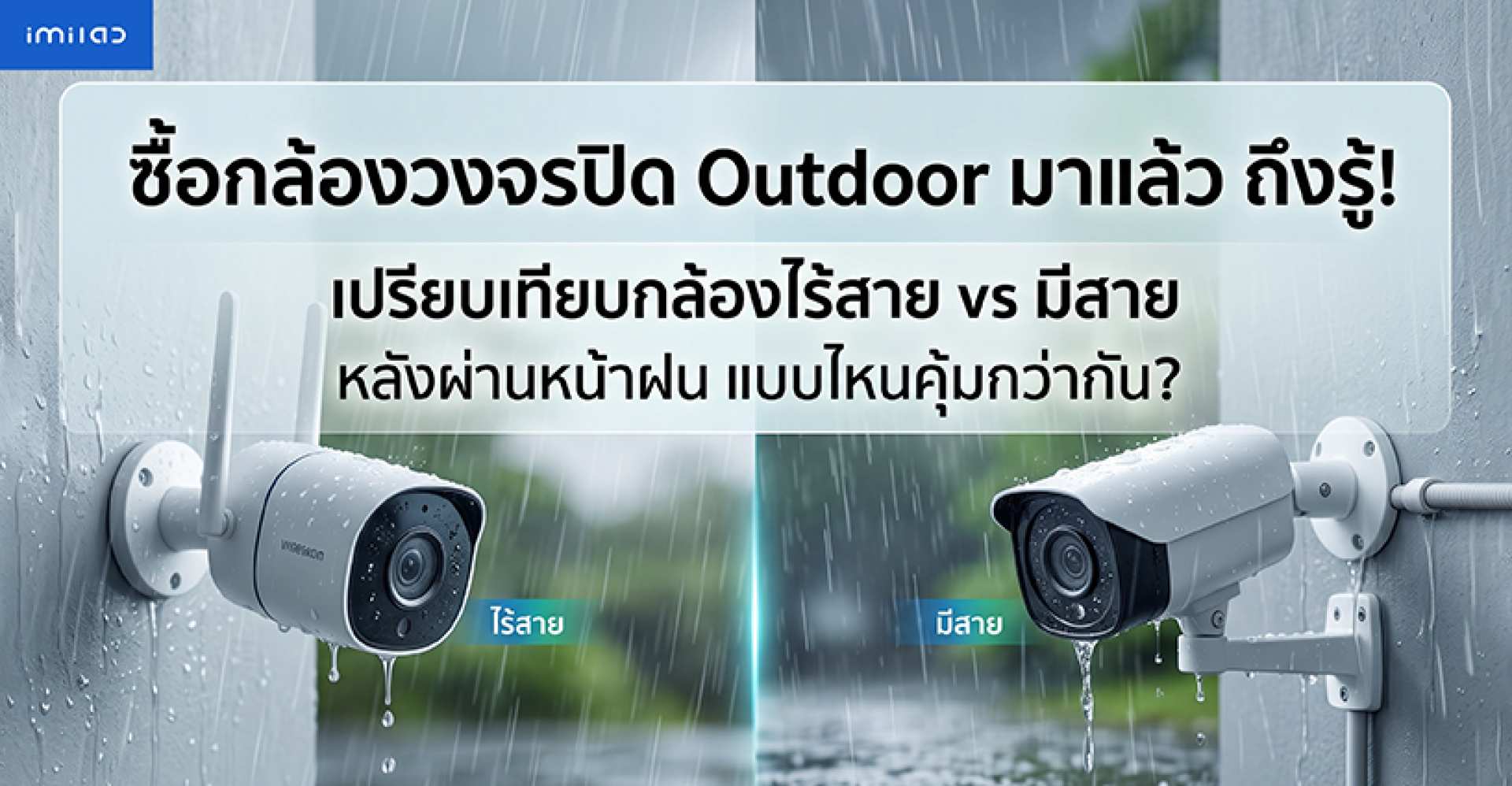
Choosing an outdoor security camera is not always as simple as picking the camera with the highest resolution or the most features.
Many buyers eventually face the same question:
"Should I choose a wireless WiFi outdoor camera or a wired CCTV system?"
At first glance, a wired camera seems like the safer choice because it provides a direct connection, while a wireless camera looks more convenient because installation is easier. However, after the camera has been installed and exposed to real outdoor conditions, especially during the rainy season, many users realize that the decision involves more than just connectivity.
Rain, humidity, dust, sunlight, cable protection, WiFi coverage, and installation quality all play an important role in determining how reliable an outdoor security camera will be over time.
A camera may have excellent image quality, smart detection features, and mobile monitoring capabilities, but if it is not suitable for outdoor conditions, problems can appear later.
This is why factors such as IP66 weather protection, installation method, network stability, and maintenance requirements should be considered before purchasing an outdoor camera.
In this guide, we will compare wireless outdoor security cameras vs wired outdoor CCTV cameras, focusing on real-world usage during the rainy season. We will explain the advantages, limitations, and which type is more suitable for different homes and businesses.
Why Rainy Season Changes the Way You Should Choose an Outdoor Camera
When people search for an outdoor security camera, they often focus on specifications such as:
- 2K, 3K, or 4K resolution
- Night vision performance
- AI human detection
- Mobile app monitoring
- Cloud or local storage support
However, real outdoor usage introduces additional challenges that are often overlooked.
- Can the camera handle continuous rain exposure?
- Will moisture affect the connectors?
- Is the WiFi signal strong enough at the installation location?
- Will cables remain protected after months of weather exposure?
- Can the camera continue working reliably during storms?
These questions become especially important in tropical climates where heavy rain, high humidity, and strong sunlight can affect electronic devices throughout the year.
A properly selected outdoor camera should not only provide clear video but also maintain stable operation under changing weather conditions.
Wireless Outdoor Security Camera: How Does It Work?
A wireless outdoor security camera, also known as an Outdoor WiFi Camera, connects to your home network through WiFi instead of using a traditional network cable.
The biggest advantage is installation flexibility. Since there is no need to run a LAN cable from the router or network switch to the camera location, installation is usually faster and cleaner.
This makes wireless outdoor cameras popular for:
- Residential homes
- Front doors
- Garages
- Small offices
- Retail stores
- Areas where cable installation is difficult
Modern outdoor WiFi cameras, such as the IMILAB Outdoor Camera series, are designed with weather protection features such as IP66 rating, allowing them to be installed in outdoor environments when properly mounted.
However, one important point is often misunderstood:
Most outdoor WiFi cameras still require a power source. "Wireless" usually refers to wireless data transmission through WiFi, not the complete absence of cables. Power cables and connection points still need proper protection from rain and moisture.
Wired Outdoor Security Camera: How Is It Different?
A wired outdoor security camera connects through physical cables, usually Ethernet (LAN) cables, to a network recorder such as an NVR or directly to a network system.
The main advantage of a wired system is reliability. Because data travels through a physical connection, it is less affected by WiFi distance, signal interference, or wireless coverage limitations.
This makes wired cameras popular for:
- Large properties
- Factories
- Warehouses
- Office buildings
- Professional surveillance systems
However, installation requires more planning. Cable routes, drilling, waterproof protection, and future maintenance should all be considered before installation.
Moving the camera later may also require additional work because cables need to be relocated.
The Real Question: Wireless or Wired for Rainy Season?
The answer depends on your environment.
A high-quality wireless outdoor camera with a strong WiFi connection and proper waterproof installation can perform very well during rainy conditions.
Meanwhile, a wired system can provide excellent stability, but poor cable installation or unprotected connectors can still create problems.
In other words:
The camera type is important, but installation quality often determines long-term reliability.
In the next section, we will compare wireless and wired outdoor security cameras in detail, including rain protection, connection stability, maintenance, and which option provides better value for different users.
Wireless vs Wired Outdoor Security Camera: Real-World Comparison During Rainy Season
When comparing an outdoor security camera, many buyers immediately ask which option is better. However, the more useful question is:
"Which type is more suitable for my environment and weather conditions?"
Both wireless and wired outdoor cameras have strengths and limitations. The best choice depends on installation location, network conditions, maintenance expectations, and how the system will be used.
| Comparison | Wireless Outdoor Camera (WiFi) | Wired Outdoor Camera |
|---|---|---|
| Installation | Easy installation without running LAN cables |
Requires cable planning and installation work |
| Connection Stability | Depends on WiFi signal strength and network quality | Generally more stable due to direct wired connection |
| Rainy Season Performance | Works well when WiFi coverage is strong and installation is correct | Works reliably, but cable protection is essential |
| Moving Camera Location | Easier to relocate | May require new cable installation |
| Maintenance | Mainly focuses on camera condition and WiFi performance | Requires checking cameras, cables, connectors, and network equipment |
| Suitable for Homes | ||
| Suitable for Large Properties | Requires strong WiFi coverage |
Does Heavy Rain Affect Wireless Outdoor Cameras?
One of the biggest concerns about wireless outdoor cameras is whether heavy rain will cause connection problems.
In reality, rain itself is usually not the main reason a WiFi camera goes offline. The more important factors are:
- Distance between the camera and router
- Walls or obstacles blocking WiFi signals
- Router performance
- Network congestion
- Camera installation location
For example, a camera installed far away from the router behind several concrete walls may experience unstable connection regardless of weather conditions.
On the other hand, an outdoor WiFi camera installed within good signal range can continue operating normally during rainy weather.
For larger homes, adding a Mesh WiFi system or an additional access point can improve coverage and provide more reliable outdoor camera performance.
IP66 Protection: The Important Factor for Outdoor Camera Reliability
When installing any camera outdoors, one of the most important specifications to check is the IP rating.
For example, an IP66 outdoor security camera is designed to provide protection against dust and powerful water spray, making it suitable for outdoor environments exposed to rain and changing weather conditions.
| Protection Feature | IP66 Rating | Suitable For |
|---|---|---|
| Dust Protection | Outdoor environments with dust exposure | |
| Heavy Rain | Front doors, gardens, garages, outdoor areas | |
| Water Jets | Protection against strong water spray | |
| Water Submersion | Not designed for underwater use |
However, it is important to understand that IP66 protects the camera housing, not every external component connected to it.
Power adapters, connectors, network cables, and cable entry points still require proper waterproof protection.
The Most Common Mistake: Protecting the Camera but Ignoring the Connections
Many users assume that if a camera has an IP66 rating, the entire installation is completely waterproof.
This is not always true.
The camera body may be designed to resist rain, but exposed connectors can become vulnerable points where moisture enters over time.
Common installation mistakes include:
- Leaving cable connections exposed to direct rain
- Installing connectors where water can collect
- Allowing rainwater to flow along cables into connection points
- Not using waterproof junction boxes
- Installing cameras in areas with continuous water impact
A simple improvement, such as protecting connectors inside a waterproof box and creating a downward cable loop, can significantly improve long-term reliability.
Why Installation Quality Matters More Than Wireless vs Wired
A common misconception is:
"A wired camera is always safer because it has cables."
In reality, a poorly installed wired camera can still experience problems if cables and connectors are exposed to moisture.
Likewise, a properly installed wireless outdoor camera can provide reliable performance for years if it has:
- Strong WiFi coverage
- Proper power protection
- Correct mounting position
- Weather-resistant design
- Regular maintenance
The best outdoor security system is not simply the one with more cables or fewer cables. It is the system that matches your location, environment, and security requirements.
Is an IMILAB Outdoor Camera a Good Choice for Home Use?
For homeowners who want an easier installation without running new network cables, an IMILAB Outdoor Camera with WiFi connectivity and outdoor protection features can be a practical solution.
It is especially suitable for locations such as:
- Home entrances
- Driveways
- Garages
- Gardens
- Small shops
The key is choosing the correct installation location and ensuring that both the camera and power connections are protected from outdoor conditions.
For professional surveillance environments requiring many cameras and maximum network stability, wired systems may still be the preferred option.
Ultimately, the right choice depends on your property, installation requirements, and expectations for long-term reliability.
5 Tips to Make Your Outdoor Security Camera Last Longer During Rainy Season
Whether you choose a wireless or wired outdoor security camera, proper installation and maintenance are the keys to long-term performance. Even a camera with excellent weather protection can experience problems if installed incorrectly.
Here are practical tips to help your outdoor camera handle rain, humidity, and changing weather conditions more effectively.
1. Install the Camera Under a Roof Edge or Shade When Possible
An outdoor security camera with an IP66 rating can handle rain exposure, but installing it under a roof edge or protective area can reduce direct exposure to heavy rain, strong sunlight, and UV damage.
A better installation position helps protect:
- Camera housing
- Lens surface
- Rubber seals
- Power connections
This does not replace waterproof protection, but it can help extend the lifespan of the camera over many years.
2. Protect Power and Network Connections
One of the most overlooked parts of outdoor camera installation is the connection point.
Many users focus on the camera body but forget that cables and connectors are often the weakest point when exposed to rain.
Recommended protection methods include:
- Using waterproof junction boxes
- Keeping connectors away from direct rainfall
- Using weatherproof cable covers
- Checking seals regularly
Remember:
A weatherproof camera does not automatically make every connected cable waterproof.
3. Create a Drip Loop for Outdoor Cables
A simple but effective installation technique is creating a downward cable loop before the cable enters the camera or connection box.
This allows rainwater to drip downward instead of flowing directly into the connector.
Professional installers often use this method because it reduces the chance of moisture traveling along cables and reaching sensitive components.
4. Check WiFi Signal Before Installing a Wireless Outdoor Camera
For a wireless outdoor security camera, network quality is just as important as camera specifications.
Before mounting the camera permanently, check:
- WiFi signal strength at the installation location
- Connection stability
- Distance from the router
- Possible obstacles between camera and router
A strong WiFi connection helps ensure smooth live viewing, faster notifications, and more reliable video recording.
If the signal is weak, consider improving coverage with a Mesh WiFi system or additional access point before installing the camera.
5. Perform Regular Outdoor Camera Maintenance
Outdoor environments naturally create dust, insects, water stains, and other conditions that can affect camera performance.
A simple inspection every few months can prevent bigger problems later.
- Clean the camera lens
- Check mounting screws
- Inspect cable protection
- Look for damaged seals
- Confirm the camera angle is still correct
Which Outdoor Security Camera Should You Choose?
After comparing wireless and wired systems, the best choice depends on your specific situation.
| Your Situation | Recommended Choice | Reason |
|---|---|---|
| Home with completed construction | Wireless Outdoor Camera | Easier installation without adding new cables |
| Small business or shop | Wireless or Wired | Depends on camera quantity and network requirements |
| Large property or warehouse | Wired Camera System | Better for large-scale stable networks |
| Rental property | Wireless Outdoor Camera | Easy installation and relocation |
| Areas with difficult cable installation | Wireless Outdoor Camera | Reduces installation complexity |
Final Verdict: Wireless or Wired Outdoor Camera During Rainy Season?
So, which one is better during the rainy season?
The answer is not simply wireless or wired.
A good outdoor security camera should combine:
- Reliable weather protection such as IP66
- Correct installation
- Protected cable connections
- Stable network performance
- Suitable placement for outdoor conditions
For most homes, an Outdoor WiFi Camera provides excellent convenience because it is easier to install and flexible for future changes.
For large properties or professional surveillance systems, a wired camera setup may still provide advantages in stability and scalability.
If you are considering an IMILAB Outdoor Camera, focus not only on the camera specifications but also on your installation environment. A properly installed outdoor camera can provide reliable security protection through every season, including heavy rain periods.
Quick Summary
| Question | Answer |
|---|---|
| Is wireless outdoor camera good for rainy season? | Yes, if WiFi coverage and installation are suitable |
| Is wired camera safer in rain? | It can be very stable, but cables and connectors must be protected |
| Does IP66 mean waterproof underwater? | No, IP66 is for rain and water jets, not immersion |
| What matters most for outdoor camera lifespan? | Proper installation, weather protection, and maintenance |
Frequently Asked Questions (FAQ)
1. Is a wireless outdoor security camera safe to use during heavy rain?
Yes. A wireless outdoor security camera can work reliably during heavy rain if it is designed for outdoor use and has proper weather protection such as an IP66 rating. The most important factors are correct installation, strong WiFi coverage, and protecting power connections from moisture.
2. Does rain affect the WiFi signal of an outdoor security camera?
In most cases, rain itself is not the main cause of WiFi connection problems. Signal strength is usually affected more by distance from the router, walls, obstacles, network congestion, and installation location. A properly positioned WiFi camera can continue working normally during rainy conditions.
3. Is a wired outdoor security camera more secure than a wireless camera?
Both systems have different advantages. Wired cameras usually provide stronger connection stability because they use physical cables, while wireless cameras offer easier installation and greater flexibility. Overall reliability depends on installation quality, network conditions, and maintenance.
4. Can an IP66 outdoor camera be submerged in water?
No. IP66 protects against dust and powerful water jets, including heavy rain, but it is not designed for underwater use. If a camera may be exposed to flooding or temporary immersion, a higher rating such as IP67 or IP68 may be more suitable.
5. Does a wireless outdoor camera require any cables?
Most wireless outdoor cameras still require a power cable. The term "wireless" usually means that video data is transmitted through WiFi instead of a wired network connection. Users should still protect power cables and connectors from rain and humidity.
6. Which is better for a home: wireless or wired outdoor security camera?
For most homes, a wireless outdoor camera is a convenient choice because installation is easier and does not require running new network cables. However, homes with large areas or multiple camera locations may benefit from a wired system for greater network stability.
7. Is IMILAB Outdoor Camera suitable for rainy weather?
Many IMILAB Outdoor Camera models are designed for outdoor environments with features such as weather-resistant housing and IP66 protection. However, proper installation is still important to ensure reliable performance, especially protecting cable connections and choosing a suitable mounting location.
References
- IEC 60529 Degrees of Protection Provided by Enclosures (IP Code)
- International Electrotechnical Commission (IEC) IP Protection Ratings
- IMILAB Official Product Information Outdoor Security Camera Series